
NEW FEATURES
Free embroidery file viewer: open PES, DST, JEF and EXP in your browser
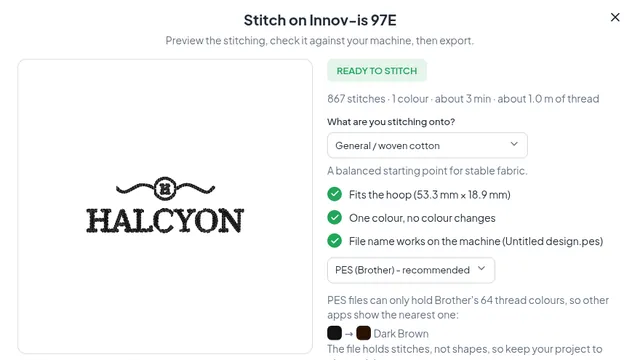
Full disclosure: I'm the developer. I built Embroidery Studio, and this viewer is part of it.
What's live
There's a free embroidery file viewer on the site at /tools/embroidery-file-viewer/. Drop a PES, DST, JEF or EXP file onto the page and it shows:
- a stitch preview drawn in your browser
- size in millimetres and inches
- stitch count
- colours and thread changes
- which common hoops it fits — 4 × 4 in, Brother Skitch 4 × 4, 5 × 7 in, 6 × 10 in and 200 × 280 mm
Everything runs locally. The file is read on your device and is never uploaded to a server.
Why I built it
People often get a design file and just want to know what it looks like, how big it is, and whether it will fit their hoop — before they open full embroidery software or stitch a scrap. Dedicated apps are heavy for that. A browser drop-zone isn't.
The viewer reuses the same stitch reader Embroidery Studio already uses, so what you see matches what the studio opens. From the viewer you can hand the file straight into the studio with Open it in Embroidery Studio.
Try it, then open it in the studio
- Go to /tools/embroidery-file-viewer/.
- Drop a
.pes,.dst,.jefor.expfile (or click to choose one). - Check the preview, size, stitch count, colours and hoop fit.
- If you want to place it with lettering or other designs, use Open it in Embroidery Studio — or open /studio yourself and import from there.
There's a free version of Embroidery Studio plus optional Plus subscriptions. The viewer itself doesn't need an account.
Honest limits
An imported stitch file is "one and done". In Embroidery Studio you can place it, move it and combine it with lettering, shapes or other designs, but you can't edit its individual stitches. If you need to change the design itself, edit the original (if you made it in the studio) and export again. That matches how import works throughout the app — see the guide on opening and adding to a DST or PES file online.
DST files don't store real thread colours, only colour-change stops. The viewer shows stand-in colours so you can still see each block; check against the threads you'll actually use.
The viewer opens PES, DST, JEF and EXP. It does not open VP3 or XXX. In the studio you can still export PES, DST, EXP, JEF, VP3 and XXX once you've built or combined a design.
FAQ
Is my file uploaded anywhere?
No. Your browser reads it on your own device. Nothing is sent to a server.
Which formats can I open?
PES, DST, JEF and EXP. VP3 and XXX are export-only in Embroidery Studio for now.
Can I edit the stitches?
Not stitch by stitch. You can place, move and combine an imported file in /studio, but the stitches themselves stay as they were.
Is the viewer free?
Yes. The viewer is free to use. Embroidery Studio has a free version plus optional Plus subscriptions — not "completely free" for every feature.
Will it fit my hoop?
The viewer checks against common hoops (4 × 4, Brother Skitch 4 × 4, 5 × 7, 6 × 10 and 200 × 280 mm). Always check your machine's manual for the exact sewing area.
What's next
This is the first news post for Embroidery Studio. More product updates will land here as they ship. If you've got a file sitting on your desktop, try the viewer and see the stitches before you commit any thread.